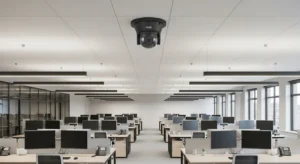
Commercial CCTV trends in 2026 are moving faster than most refresh cycles. Cloud CCTV platforms, NDAA compliant CCTV hardware requirements, thermal security cameras, and 4K imaging have all crossed from early-adopter territory into standard specification conversations. If you are managing infrastructure for a mid-size office, warehouse, or multi-site operation and your camera system is more than four years old, what you are about to read is directly relevant to your next procurement or upgrade decision.
This guide walks through each major shift in commercial surveillance trends, explains what the changes mean operationally, and gives you enough technical detail to evaluate proposals and push back on vendors who are still selling yesterday’s stack.
4K and High-Definition Imaging: What Has Actually Changed
4K (3840×2160) sensors are now the baseline for any new exterior or wide-area interior camera installation. The practical impact is not just resolution. It is the ability to crop a recorded stream in post and still extract usable facial or plate detail from a wide-angle shot. A single 4K camera covering a loading dock can replace two or three 1080p units while maintaining forensic-quality output. That changes your camera count, your switch port budget, and your storage sizing.
Bandwidth is the real constraint to plan around. An uncompressed 4K stream is not realistic on most LAN infrastructures. H.265 (HEVC) encoding is now the standard answer. Compared to H.264, H.265 cuts bitrate roughly in half at equivalent quality. A well-configured 4K H.265 stream typically runs 8 to 16 Mbps depending on scene activity. For a 32-camera deployment, that is 256 to 512 Mbps aggregate sustained throughput to your NVR or cloud uplink. Plan your core switching and WAN capacity accordingly before you commit to camera counts.
Storage sizing has also changed. With H.265 and 4K, a single camera at continuous recording will use approximately 80 to 120 GB per day depending on compression aggressiveness and motion activity. Motion-triggered or AI-based recording profiles cut that significantly, but do not let a vendor quote storage without specifying the bitrate assumptions in writing.
Cloud CCTV: Architecture Options and Honest Trade-Offs
Cloud-managed video has matured. The cloud CCTV model comes in two real variants you need to distinguish: cloud-managed with local storage, and true cloud storage with edge offload. Most enterprise deployments in 2026 are using the first model. Cameras connect to local NVR or edge appliances, but management, health monitoring, firmware updates, and remote access are handled through a cloud portal. This keeps your WAN bill predictable and your retention policy under local control.
True cloud storage, where every frame goes up to a hosted platform, is viable for small camera counts at high-bandwidth sites. For anything above 16 cameras with 4K streams, the egress cost and upload bandwidth requirement makes on-premise or hybrid storage the practical choice for most Canadian commercial properties.
When evaluating cloud VMS platforms, confirm: data residency (is footage stored in Canada or the US?), who holds the encryption keys, what happens to your footage if you cancel the subscription, and whether the API supports integration with your existing access control or PSIM. These are not edge cases. They are the questions that create problems 18 months after go-live.
Latency for live remote monitoring on cloud-managed systems is typically 1 to 3 seconds end-to-end over a stable WAN connection. That is acceptable for most review workflows but is not suitable for real-time PTZ control in security operations. If you have a staffed SOC or guard station that needs sub-second PTZ response, keep that control path local.
Thermal Security Cameras: Where They Fit and Where They Do Not
Thermal security cameras are appearing in more commercial specifications in 2026, and not just in critical infrastructure. The cost of uncooled microbolometer sensors has dropped enough that a 320×240 thermal unit now sits in a price range comparable to a high-end optical PTZ. That changes the ROI calculation for perimeter detection at warehouses, data centres, and large parking lots.
Thermal cameras detect heat signatures, not light. They work in complete darkness, through light fog, and are not defeated by headlight glare or shadows. They are not a replacement for optical cameras. You need both. Thermal for detection and tripwire alerting, optical 4K for identification and evidentiary footage. Designing a perimeter with both layers is the current commercial surveillance trend for any site with a serious security requirement.
Need Network Cabling in Toronto?
Free onsite survey within 48 hours. TIA-568 certified, Fluke DSX tested every run.
One operational note: thermal cameras do not perform well through glass. You cannot mount a thermal unit inside a building and expect it to cover an exterior area through a window. Plan mounting locations as exterior-only for thermal units.
NDAA Compliance and the Banned Manufacturer List
NDAA compliant CCTV is not optional if you are procuring for any US federal work, any Canadian federal work with US supply chain obligations, or any organization whose contracts require NDAA Section 889 adherence. As of 2026, equipment from Hikvision, Dahua, Huawei, Hytera, and ZTE remains prohibited under Section 889 of the National Defense Authorization Act for covered federal contracts. This has pushed the broader commercial market to re-evaluate these brands even for non-federal work.
The issue extends beyond the named parent companies. OEM and white-label cameras that use Hikvision or Dahua internals while carrying a different brand name are a real compliance trap. Ask vendors for a declaration of components, not just a brand name on the box. Several North American and European manufacturers, including Axis, Hanwha, Bosch, and Pelco (current ownership), supply hardware with documented supply chain transparency. Specify NDAA compliance as a contractual requirement and get it in writing with supporting documentation.
For Canadian organizations not subject to NDAA directly, the practical reason to specify compliant hardware is procurement flexibility. If your organization ever takes on federal, provincial, or US-adjacent work, ripping out non-compliant cameras is expensive. Getting it right at initial install is the right call.
Cybersecurity: Cameras Are Network Devices, Treat Them That Way
Every IP camera on your network is an attack surface. This has been true for years, but the number of documented exploitation events has increased enough that it cannot be treated as a theoretical risk. Specific actions to take on every deployment:
Cameras must be on an isolated VLAN with no direct access to your corporate LAN. Outbound internet access for cameras should be restricted to specific IP ranges needed for cloud management, and nothing else. Default credentials must be replaced before the camera goes live. Firmware update procedures need to be documented and scheduled, not left to vendor discretion. If your VMS vendor does not provide signed firmware and a clear update cadence, that is a selection criteria problem.
IEEE 802.1X port authentication on camera switch ports adds another layer by requiring a valid certificate before a device is granted network access. This prevents someone from unplugging a camera and plugging in an unauthorized device. It adds deployment complexity, but for any site with physical security concerns, it is worth implementing.
Integration with Access Control and Alarm Systems
The strongest operational improvement available in a 2026 CCTV upgrade is not the cameras themselves. It is proper integration between your VMS, access control, and intrusion alarm platforms. When a door forces an alert in your access control system, your VMS should automatically pull up the nearest camera, bookmark the timestamp, and optionally push a notification to a monitoring station or mobile app. Most modern platforms support this through open APIs or native integrations.
ONVIF Profile S covers basic video streaming interoperability. ONVIF Profile A covers access control integration. Confirm your camera and VMS vendors both support the profiles relevant to your integration requirements. Do not accept “we support ONVIF” as a complete answer. Ask which profiles and which version.
| Integration Type | Standard/Protocol | What It Enables |
|---|---|---|
| Camera to VMS video | ONVIF Profile S, RTSP | Live view, recording, PTZ control across vendors |
| Access control to VMS | ONVIF Profile A, vendor API | Door event triggers camera bookmarks and alerts |
| Alarm panel to VMS | Dry contact I/O, API webhook | Motion zone or alarm trigger pulls associated camera |
| Remote monitoring | Cloud VMS portal, mobile app, UL-listed CMS | Off-site guard review, incident notification, audit trails |
PoE power delivery matters here too. Most 4K cameras with onboard analytics draw 15 to 25 watts. PoE+ under 802.3at delivers up to 30 W at the PSE, which covers most units. Heated enclosures for outdoor cameras in Canadian climates or cameras with integrated IR illuminators can push toward 60 to 90 W, which requires 802.3bt (PoE++) switches or local power injection. Size your switch PoE budget before finalizing camera selection, and account for bundle temperature rise in dense cable runs per TIA TSB-184-A guidance.
Frequently Asked Questions