
Designing a comprehensive office network requires accommodating various technologies such as CCTV, VoIP, and multi-device connectivity. More than just connecting devices, the goal is to ensure reliable performance across all systems. Effective office network design, CCTV and VoIP network integration, as well as structured cabling design, ensure business communication and security systems are interconnected and efficient.
Shared Switch Planning
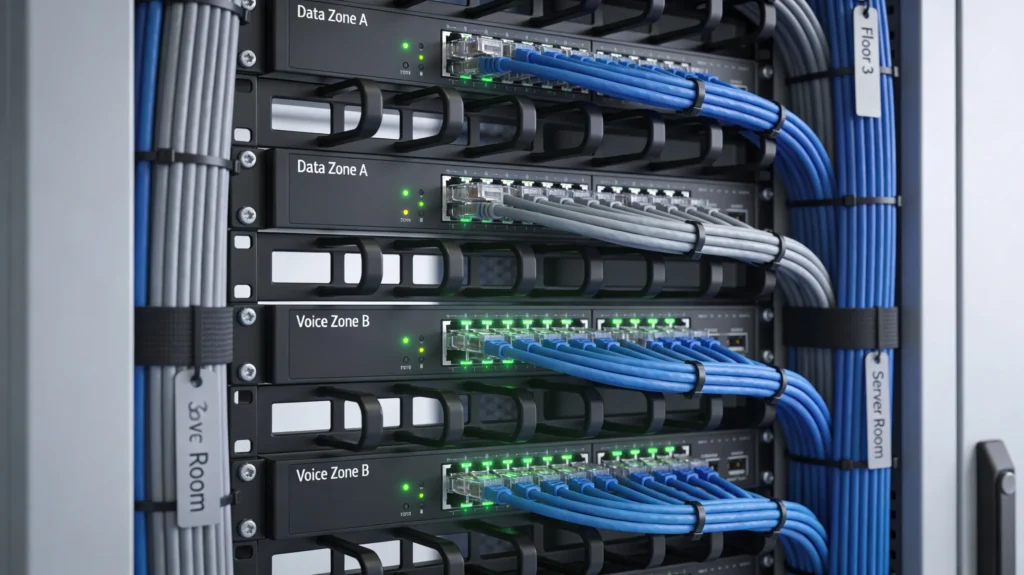
Shared switch planning is fundamental when designing a commercial network infrastructure for CCTV, VoIP, and other devices. Start by determining the number of devices to connect, including IP cameras, phones, and computers. Choose switches that support PoE for powering devices like cameras and phones. Plan for gigabit ports to accommodate bandwidth needs, and ensure sufficient port density for future expansion. Don’t forget to consider the distance between devices and switches, constrained by the TIA’s 90-meter limit for horizontal cabling.
VLAN Segmentation
Use VLAN segmentation to optimize traffic management and improve security. Assign different VLANs for CCTV traffic, VoIP, and general office data. This separation prioritizes VoIP streams and isolates camera traffic, minimizing congestion. Configure routers and Layer 3 switches to route between VLANs if necessary. Proper segmentation ensures that each type of data doesn’t interfere with the others, providing consistent performance and enhanced security policies.
PoE Power Planning
Consider the power needs of networked devices when performing PoE network design. Ensure your switches can support the power class required by each device, whether PoE (15.4W per port), PoE+ (30W per port), or PoE++ (up to 90W per port). Use TIA TSB-184-A as a reference guide for bundle temperature rise concerns, ensuring the cabling operates within thermal limits. Plan for redundant power supplies or UPS for sustained device operation during outages.
Bandwidth Sizing
Accurate bandwidth sizing is critical, particularly with simultaneous data, voice, and video traffic. Calculate aggregate bandwidth by considering typical usage and peak load, ensuring that total provisioned bandwidth meets or exceeds these expectations. Employ QoS policies to prioritize VoIP and CCTV traffic, ensuring low latency for voice calls and steady video streams. This practice minimizes packet loss and jitter, vital for maintaining call quality and footage clarity.
Camera and NVR Placement
For effective CCTV network design, strategically place cameras to maximize coverage without redundancy. Identify critical areas such as entrances, exits, and high-traffic zones for camera installation. Consider environmental factors that might affect placement, such as lighting and obstructions. NVRs should be placed centrally to minimize cabling and latency, ensuring efficient recording and monitoring. Verify that all camera feeds can be stored or transmitted based on the available network capacity.
Need Network Cabling in Toronto?
Free onsite survey within 48 hours. TIA-568 certified, Fluke DSX tested every run.
VoIP Priority
VoIP systems require special attention to maintain call quality. Implement Quality of Service (QoS) mechanisms to prioritize voice traffic over less critical data. This setup prevents delays and maintains low latency, key factors in avoiding choppy or dropped calls. Use dedicated voice VLANs and ensure they have sufficient bandwidth. Periodic testing and monitoring can help identify and resolve any QoS issues proactively.
Scalability Considerations
Design for scalability, anticipating future needs. Choose scalable switch models with stackable capabilities, allowing you to grow without replacing existing equipment. Plan spare ports in your patch panels and rack space for additional cabling and devices. Ensure structured cabling adheres to ANSI/TIA-568.2-D standards, allowing reliable upgrades to Cat6A or higher copper systems and leveraging OM3/OM4 fiber as needed. Future-proof designs will help accommodate business growth with minimal hassle.
Implement proactive maintenance practices for your network. Regularly check cable connections, test performance metrics, and update firmware to ensure the infrastructure remains optimal and secure.
Frequently Asked Questions
Planning a cabling project in the GTA?
Velocity Cabling designs and installs structured cabling, fiber, and security systems for businesses across Toronto, Mississauga, Brampton, and the surrounding area.