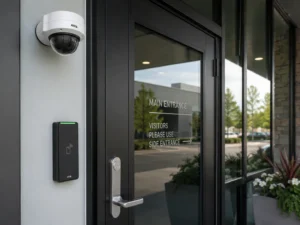

Ubiquiti’s UniFi Access line has matured into a serious contender for commercial deployments. The hardware now covers everything from a single interior door to an eight-door enterprise installation with battery backup, and the product segmentation is specific enough that picking the wrong hub costs you money on either over-engineering or a return shipment. This guide breaks down every current UniFi Door Access Hub, compares their specifications side by side, and walks you through how to match the right device to your site conditions.
If you are managing access control as part of a broader low-voltage project that includes surveillance, the integration points matter too. The PoE ports on several of these hubs are not just for convenience; they are how you power readers, intercoms, and cameras from a single managed device. Understanding that architecture before you pull cable saves rework. For professional installation across the Greater Toronto Area, you can also review how these hubs fit into a full commercial access control system or alongside a commercial CCTV installation.
The Full UniFi Access Hub Lineup at a Glance
As of August 2026, Ubiquiti offers six distinct hub-class devices in the UniFi Access ecosystem. One of them, the Door Hub Mini, is currently out of stock with a restock date of September 7, 2026. The rest are available. Here is the complete comparison across the specifications that actually matter for design decisions.
| Model | SKU | Doors | Lock Terminals | Inputs | AUX Terminals | PoE Ports | Price (USD) |
|---|---|---|---|---|---|---|---|
| Enterprise Access Hub | EAH-8 | Up to 8 | 8 | 16 | 4 | 8 | $1,487.00 |
| Access Retrofit Hub | UA-Retrofit-Hub-2 | Up to 2 | 2 | 2 | 2 | None (DC-powered) | $354.00 |
| Access Door Hub | UA-Hub-Door | 1 | 2 | 4 | 2 | 4 | $307.00 |
| Access Door Hub Mini | UA-Hub-Door-Mini | 1 | 1 | 2 | None | 2 | $193.00 |
| Access Gate Hub | UA-Hub-Gate | 1 (gate) | 1 | 5 | 1 | 4 | $431.00 |
| Access Ultra | UA-Ultra | 1 | 1 (built-in) | N/A | None | None | $188.00 |
Device-by-Device Breakdown
Enterprise Access Hub (EAH-8), $1,487.00
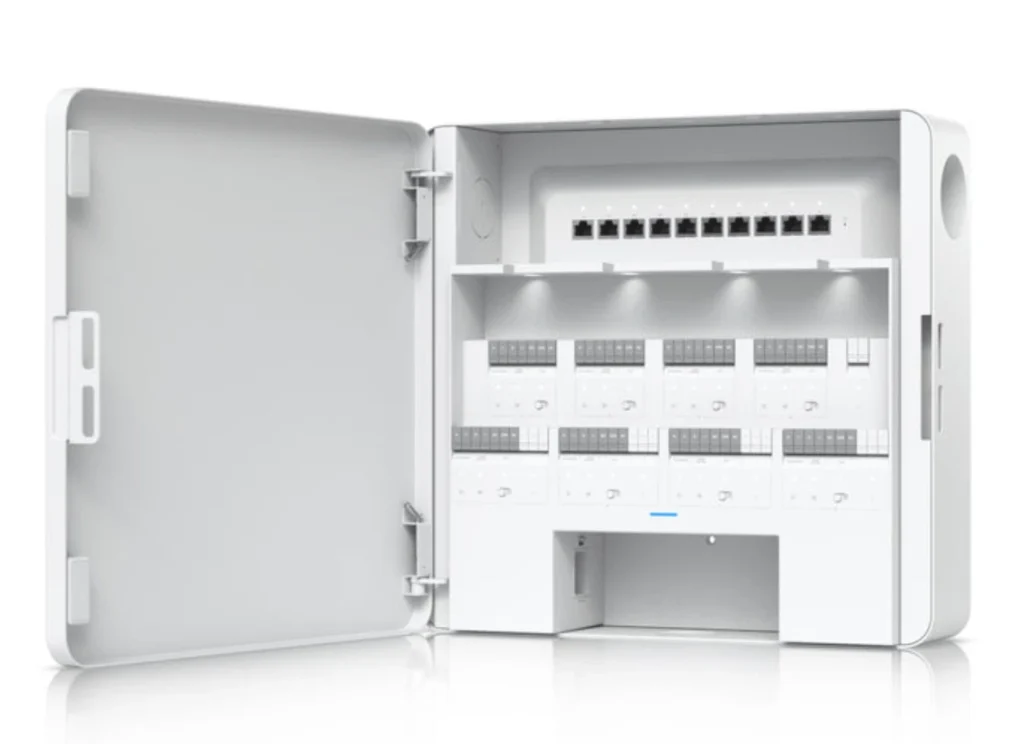
This is Ubiquiti’s rack-mount, multi-door controller. It handles up to eight doors simultaneously with independent entry and exit control on each. The 8 lock terminals mean you wire one lock output per door, and the 16 additional inputs give you enough supervision points for door contacts, request-to-exit (REX) sensors, and alarm inputs across all eight doors without running out of terminals. The 4 AUX terminals add relay outputs for ancillary functions such as elevator control, alarm panels, or building management integration.
The 8 PoE ports are significant. They power your UniFi Access Readers directly from the hub, which keeps your reader cable runs clean and eliminates separate power injectors at each door. Battery backup support is a key differentiator at this tier. In a fire alarm integration or power outage scenario, a hardwired battery keeps the hub online so doors can fail-secure or fail-safe according to your policy, not just drop. At $185.88 per door when all eight are used, the per-door cost is the lowest in the lineup for a fully featured installation.
This hub is the right answer for office floors with multiple controlled doors, server rooms requiring audit trails, or any facility where you are managing a zone of eight or more access points under one controller. It is also the only device in the lineup with explicit battery backup support documented in its specifications.
Access Retrofit Hub (UA-Retrofit-Hub-2), $354.00
The Retrofit Hub is the integration bridge. It is DC-powered rather than PoE-powered, which tells you it is designed to sit inside an existing access control enclosure or alongside a legacy panel that already has a power supply. More importantly, it supports both Wiegand and OSDP reader protocols. That matters when you are inheriting a site that has Wiegand readers already installed on the wall. You can keep the existing readers, add this hub, and bring those doors under UniFi Access management without re-cabling the reader drops.
It controls up to two doors with 2 lock terminals, 2 inputs, and 2 AUX terminals. The input and AUX count is lean because the assumption is the legacy panel is already handling some supervision. There are no PoE ports because it is not powering readers; it is interfacing with them. If you are doing a ground-up install with standard UniFi readers, use the Door Hub instead. The Retrofit Hub is for brownfield work where Wiegand infrastructure already exists and you need to unify management under UniFi without a forklift upgrade.
Access Door Hub (UA-Hub-Door), $307.00
This is the standard single-door hub for a new construction or full greenfield UniFi deployment. It provides complete entry and exit control for one door: 2 lock terminals (entry and exit side), 4 additional inputs for door contact, REX, and supplementary sensors, and 2 AUX terminals for relay outputs. The 4 PoE ports power your readers and any additional devices in the immediate vicinity of that door.
Having 4 inputs on a single-door hub is notably more generous than the Mini. It means you can supervise the door contact, wire a hardwired REX button, connect a motion-based REX sensor, and still have a spare input for a tamper or alarm circuit. For a server room door or any door where audit quality and alarm integration matter, this is the minimum spec you should be installing. The two lock terminals let you wire both an electric strike on the entry frame and a magnetic lock or secondary device on the exit, which is relevant for mantrap or vestibule configurations.
Access Door Hub Mini (UA-Hub-Door-Mini), $193.00
The Mini is the cost-optimised option for low-complexity interior doors. It handles one door with 1 lock terminal, 2 inputs, and 2 PoE ports. There are no AUX terminals. The reduced input count means you are choosing between door contact supervision and a REX sensor rather than running both independently, unless you use a dual-technology input. The single lock terminal is appropriate for a simple electric strike with no secondary locking device.
Note the current stock situation: as of August 3, 2026, the UA-Hub-Door-Mini is out of stock with a restock expected September 7, 2026. If your project schedule cannot absorb that delay, plan around the standard Door Hub or verify stock before committing to a BOM that includes Minis. For interior conference room doors or low-security storage rooms where the primary goal is credential logging rather than full alarm integration, the Mini is appropriate. Do not use it for perimeter doors or anywhere you need full sensor supervision.
Access Gate Hub (UA-Hub-Gate), $431.00
The Gate Hub is built for vehicular or pedestrian gate applications where the connected device is a gate operator rather than a standard electric strike or mag lock. It has 1 lock terminal and 1 AUX terminal, but the input count is 5. That extra input capacity is purposeful. Gate installations typically require more state monitoring: gate open, gate closed, gate fault, safety loop status, and obstacle detection. Having 5 inputs gives you enough terminals to supervise all of those conditions from one hub.
Need Network Cabling in Toronto?
Free onsite survey within 48 hours. Fluke DSX tested to TIA-568 limits.
The 4 PoE ports let you power a UniFi Access Reader on the entry lane and an intercom unit or a second reader on the exit lane without needing additional infrastructure in the gate post. The Gate Hub also accepts intercom integration, which aligns with vehicle access scenarios where a driver cannot present a credential card and instead needs to call through to a receptionist or security station. If you are designing a parking facility or a perimeter gate for a warehouse or industrial site, this hub is the correct device. It is not a substitute for a multi-door hub; it is purpose-built for a single gate point with expanded peripheral monitoring.
Access Ultra (UA-Ultra), $188.00
The Access Ultra is a reader with a hub integrated into the same unit. That is a meaningful architectural difference from every other device in this list. There is no separate hub to mount in a telecom room or above a ceiling; the control electronics sit inside the reader housing on the door frame itself. It supports NFC credential reads and is rated for outdoor exposed installations, making it one of the few devices in the lineup designed to survive direct weather exposure.
With 1 lock terminal built in, it handles a single electric strike or mag lock directly. There are no separate input terminals listed as specifications, and no PoE output ports, because this device is a powered endpoint, not a distribution hub. You run a single network cable to it, and the lock wires to the terminal on the back of the unit. The simplified architecture reduces both cost and installation time for straightforward single-door scenarios, particularly exterior doors of small offices or secondary building entrances. The trade-off is zero expandability. If you need REX sensor integration, alarm inputs, or relay outputs at that door later, you will be replacing the device rather than adding terminals.
For any project pairing UniFi Access hubs with camera coverage at the same door, coordinating the structured cabling run for both systems during rough-in eliminates redundant conduit and labour. A Cat6A homerun to a hub with PoE ports can power a reader while a separate run feeds a camera, all pulled through the same pathway. Velocity Cabling designs and installs both systems. See our access control installation services and commercial CCTV installation services for scope details.
Key Differentiators to Drive Selection
| Decision Factor | Relevant Models | Notes |
|---|---|---|
| Battery backup required | EAH-8 only | No other hub in the lineup documents battery backup support |
| Legacy Wiegand readers on site | UA-Retrofit-Hub-2 | Only hub supporting Wiegand and OSDP protocol bridging |
| Gate or vehicular control | UA-Hub-Gate | 5 inputs handle gate state monitoring; intercom compatible |
| Outdoor reader with integrated control | UA-Ultra | NFC, outdoor rated, hub and reader in one unit |
| Centralized multi-door management | EAH-8 | Single hub, IDF-mounted, manages up to 8 doors |
| Full supervision, single door, new install | UA-Hub-Door | 4 inputs, 2 lock terminals, 2 AUX, 4 PoE ports |
| Low-cost interior door, basic logging | UA-Hub-Door-Mini or UA-Ultra | Mini OOS until Sept 7, 2026; Ultra adds outdoor capability |
Step-by-Step: Choosing and Installing the Right Hub
Step 1: Count your controlled openings and categorize them. List every door, gate, or opening that needs credential control. Separate them by type: standard interior doors, perimeter doors, gates, and any locations with existing Wiegand hardware. This determines which hub families are in play before you look at pricing.
Step 2: Determine consolidation vs. distributed architecture. If you have clusters of four or more doors within a reasonable cable run of a telecom room or IDF, the EAH-8 at one location is almost always cheaper and more manageable than individual hubs per door. Run the math. Eight UA-Hub-Door units cost $2,456 versus one EAH-8 at $1,487. The EAH-8 wins on hardware cost and on reducing the number of IP endpoints your network team needs to manage.
Step 3: Check existing reader infrastructure. If Wiegand readers are already in the wall and the cable is in conduit, the Retrofit Hub lets you keep that investment. Pull the reader model numbers, confirm Wiegand output, and spec the UA-Retrofit-Hub-2 for those doors. For OSDP readers, the same hub applies.
Step 4: Design the cabling plan. Each hub needs a Cat6 or Cat6A homerun back to your network switch within the 90-meter horizontal channel limit defined by ANSI/TIA-568.2-D. The Retrofit Hub is DC-powered, so it needs a power supply run to the enclosure as well. For PoE-powered hubs (EAH-8, Door Hub, Door Hub Mini, Gate Hub), the upstream switch must supply adequate PoE budget for the hub itself plus any readers or devices connected to the hub’s downstream PoE ports. Verify your switch’s total PoE budget before finalising design.
Step 5: Plan lock power separately. The lock terminals on these hubs output control signals and relay closures. Most mag locks and electric strikes also need a dedicated 12V or 24V DC power source sized to the lock’s current draw. Verify the lock manufacturer’s specs and run power accordingly, especially if you are on a fire alarm integration that requires fail-safe or fail-secure behaviour on alarm activation.
Step 6: Commission in UniFi OS. Once hubs are online and registered to your UniFi Network application, assign doors, configure reader associations, set access schedules, and define credential groups. The EAH-8 requires that you map each of its 8 door positions to physical lock terminals in the UI before credentials will function. Test every REX sensor and door contact input before signing off.
Frequently Asked Questions
Planning a cabling project in the GTA?
Velocity Cabling designs and installs structured cabling, fiber, and security systems for businesses across Toronto, Mississauga, Brampton, and the surrounding area.