
Commercial Wi-Fi Installation in Toronto & the GTA
We supply, cable, mount and configure business Wi-Fi for offices, warehouses and industrial sites. Then we walk the building with survey gear to prove the coverage is there. Ubiquiti UniFi, Cisco, Meraki, Aruba and the other major platforms, or the access points you already own.
Velocity Cabling installs business Wi-Fi across Toronto and the GTA, from a single office floor to a distribution centre with access points thirty feet up. We handle the whole chain in one contract: the cable to each access point, the PoE switching, the mounting, the configuration and the validation survey afterwards. Because one crew owns every link in that chain, problems like an access point running at reduced power or a mislabelled switch port get caught before handover instead of after.
What We Install.
A Wi-Fi installation is mostly wired work. The radios are the last few metres of it. This is what a full install from us covers, and you can take any part of it on its own.
| Part of the job | What we do |
|---|---|
| Access point cabling | Cat6A from each access point location to the patch panel in your network closet, terminated, labelled and certified on a Fluke DSX. A service loop is left above the ceiling so the access point can move a metre or two later without a new pull. |
| Mounting | Grid clips for T-bar ceilings, surface mounts for drywall, beam clamps and strut drops for open ceilings, wall and pole brackets outdoors. Mounting height and antenna direction follow the design. |
| PoE switching | Switch power budget sized for the access points you are actually installing, including the 802.3bt class many Wi-Fi 6E and Wi-Fi 7 models need to run every radio. We supply the switches or work with yours. |
| Uplinks | Fiber or copper from each closet back to the core, sized so a building full of multi-gigabit access points is not squeezed through a 1 Gb/s link. |
| Configuration | SSIDs, VLANs, WPA3 or 802.1X security, guest isolation, channel width and transmit power per the design, legacy data rates disabled and firmware brought current. |
| Validation | An active survey after install that checks signal, roaming and throughput against the design, with the report handed to you. |
| Handover | Access point location map, switch port schedule, serial and MAC list, cable test reports and admin credentials. |
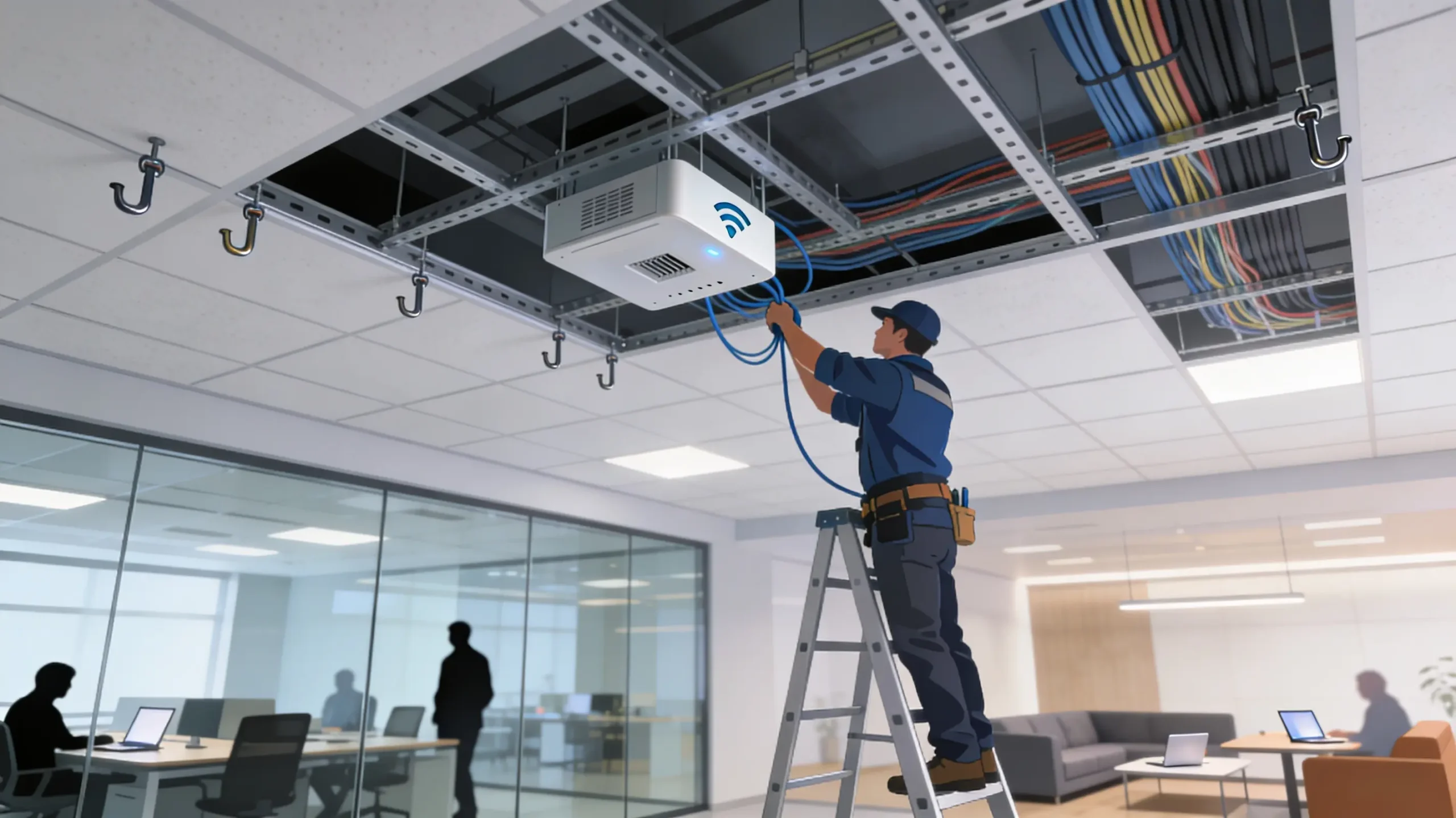
You can buy the access points and switches from us or supply your own. We install both, and we check client-supplied hardware against the switch and the cable before mounting day.
If you have not settled how many access points you need or where they go, start with a wireless site survey. It produces the access point schedule and cabling plan we install from. If you already have a design from your IT provider or a consultant, we build to it.
Offices And Shared Floors.
Most office Wi-Fi problems we are called into come down to where the access points ended up. They go where an old data jack happened to be, or in a neat row down the corridor because that is where the ceiling tiles came out easily. The meeting rooms and open areas, where people actually sit, end up at the edge of every cell.
On an office install we place access points over the spaces where devices gather, usually at lower power and closer spacing than people expect. Boardrooms and training rooms are planned for the number of people in them at their busiest, not on an average day.
The ceiling decides the mount
A T-bar grid takes a clip-on bracket and a clean tile cut. Drywall bulkheads need a surface mount and a tidy penetration. Exposed ceilings in older Toronto buildings and converted lofts use beam clamps or a short strut drop, so the access point hangs below ductwork instead of behind it. Where the ceiling space is a return-air plenum, the cable has to be FT6 rated, while FT4 covers most other commercial runs. Our guide to plenum and riser cable explains when each applies.
Working in a shared building
Multi-tenant buildings come with their own rules. Property managers often restrict ceiling work to after hours, ask for proof of insurance before anyone goes above the tile, and control access to the riser and the main telecom room. We work inside those rules all the time, including evening and weekend installs so a fit-out does not disturb the tenant downstairs. For the wired side of a move or fit-out, see our office cabling page.
Warehouses And Distribution Centres.
In a warehouse the Wi-Fi carries the operation. Handheld scanners, voice picking headsets, terminals on forklifts and label printers all depend on it, and one dead aisle can hold up a pick wave. It is also the hardest environment we install in.
Mount for the floor, not the roof
Ceilings in GTA distribution centres commonly sit between 20 and 40 feet. An omnidirectional access point mounted at the roof deck spends most of its energy on the steel above the racking. In high-bay aisles we usually mount lower, on columns or on racking uprights with the racking owner's approval, or use directional antennas aimed down the aisle. Either way the signal arrives where the scanners are, at waist height.
Install for a full building
Racking full of product behaves very differently from empty steel. Liquids and dense goods absorb signal, and long aisles carry it lengthwise much better than across. We install to a design that assumes realistic stock levels, and we can validate again once the building is loaded. The reasons are covered in detail in the warehouse section of our survey page.
Roaming is the real test
A picker crosses dozens of cells in a shift, and scanners are often the weakest radios in the building. We set cell edges, overlap and minimum data rates so devices move to the next access point cleanly, then walk the actual pick routes with a real scanner during validation. A coverage map alone cannot show roaming problems.
Access points rated for the temperature, or installed in a heated enclosure. Cable entries are sealed where condensation forms at the door transitions.
Coverage has to reach into trailers backed up to the doors, where steel walls block most of the signal. Access points are placed to see into the trailer, not just across the dock floor.
Mounts kept above mast height and out of impact zones, with guards where the layout calls for them.
Pick mezzanines and the shipping office get their own cells, so they are not leaning on access points mounted for the floor below.
Scissor and boom lifts on site, work zones taped off, and lift time scheduled around your shift pattern.
Mounts kept clear of sprinkler heads, high-bay fixtures and unit heaters, and cable routed in tray rather than tied to sprinkler pipe.
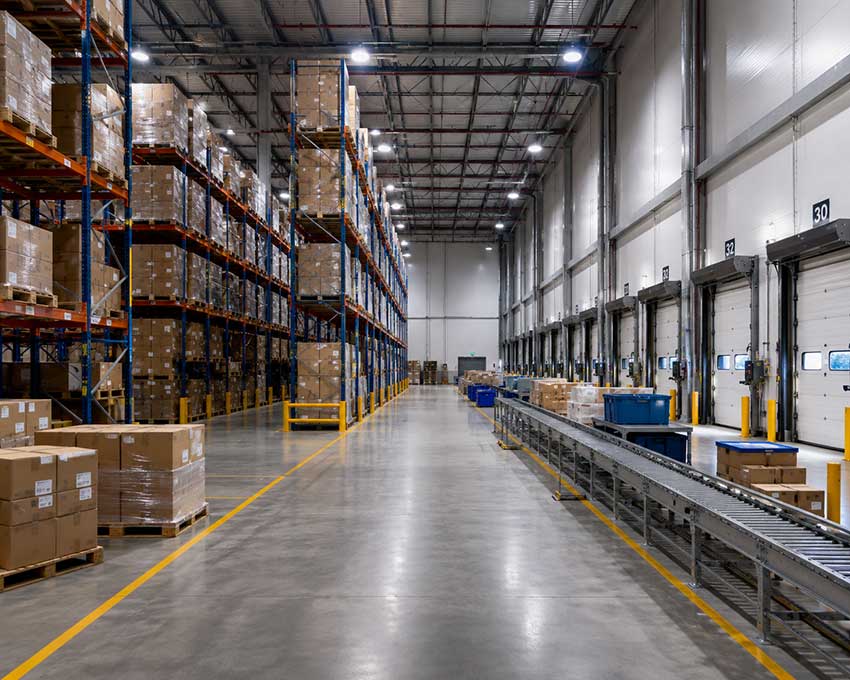
Maersk Distribution Centre, Caledon. We installed and configured 48 access points across the warehouse floor and offices, as part of a 200+ drop install with five IDFs on an OM3 fiber backbone. The crew worked from scissor lifts and mounted every access point to Maersk's own installation standard. Their IT team works remotely, so we photographed every access point and cabinet for them after install. We still handle their adds and moves. Read the Maersk project.
Plants And Industrial Sites.
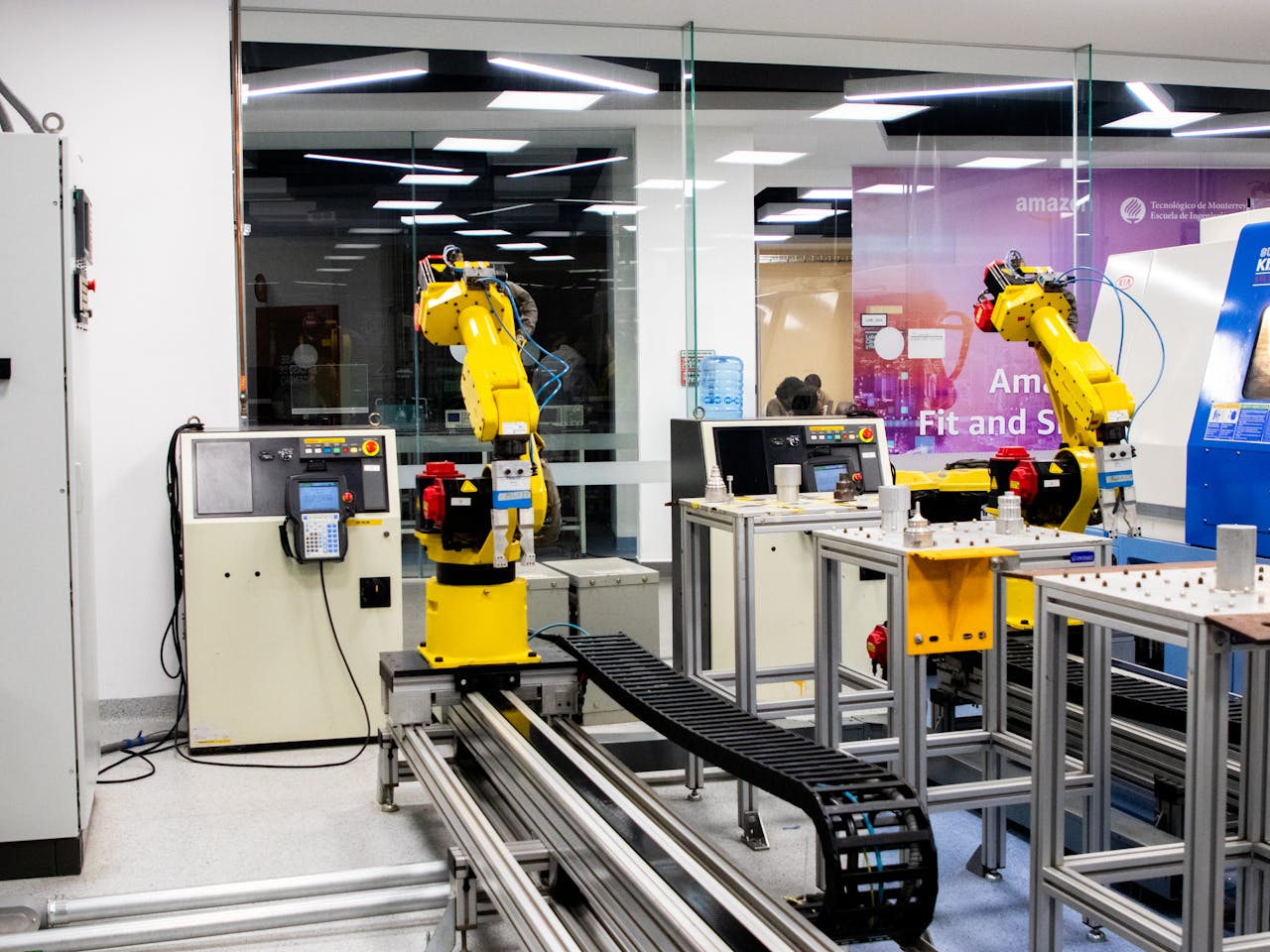
Manufacturing floors add electrical noise, moving machinery and dust to everything a warehouse already has. Large motors and drives raise the noise floor, and industrial microwave dryers work in the same 2.4 GHz band Wi-Fi uses. That is why plant installs start with a spectrum check rather than an assumption.
We keep plant devices apart from office traffic with their own SSID and VLAN, so a PLC, a tablet on the line or a vision system is not competing with a laptop backup. Access points go into rated housings or sealed enclosures where there is dust, oil mist or washdown, and cable runs follow tray or conduit kept well away from drive output cables.
Hazardous locations are their own discipline. We cabled the fiber and explosion-proof camera wiring at the CN Rail yard in Vaughan, and any wireless equipment going into a classified area has to carry the matching hazardous-location certification. We will tell you plainly when a location needs that.
Outdoor, Yards And Gatehouses.
Trailer yards, guard huts, parking areas, outdoor storage and patios all end up needing a signal. There are two ways to get it there, and we install both.
Outdoor access points
Weather-rated access points mounted on the building wall or on poles and aimed at the area that needs coverage. They need outdoor-rated cable, sealed entries and grounded surge protection where the cable leaves the building. On 6 GHz, outdoor use is limited to standard-power access points under automated frequency coordination, or very-low-power devices, because the low-power indoor class is for indoor use only.
Point-to-point bridges
When a building sits across a yard or a road from the network, a wireless bridge can replace a trench. A pair of directional radios links the main building to a gatehouse, a second warehouse or a pole carrying yard cameras. Bridges need clear line of sight plus some open space around the direct path, since trucks, trees and stacked containers can block part of the beam. Short, high-capacity hops often use 60 GHz radios, which lose range in heavy rain and snow, while longer links run on 5 GHz. Where distance and budget allow, buried fiber is still the more reliable choice, and we install that too.

Upgrading To Wi-Fi 6E Or Wi-Fi 7.
A lot of our Wi-Fi work is replacement: newer access points going onto an existing network. The radio side is covered on our survey page, including why 6 GHz is different in Canada. The physical side is where upgrades usually go wrong, so these are the things we check before anything is ordered.
| Check | Why it matters |
|---|---|
| PoE class | Many Wi-Fi 6E and Wi-Fi 7 access points need 802.3bt to run every radio at full capability. On an 802.3at port they boot, then quietly disable a radio or slow a port. We confirm the switch can power every port at once, not just the per-port maximum. More in our guide to planning PoE power. |
| Uplink speed | Access points with 2.5, 5 or 10 Gb/s ports need a switch port and cable to match. 2.5 Gb/s runs on Cat5e, 5 Gb/s on Cat6, and 10 Gb/s at full length needs Cat6A. Our multi-gigabit guide has the detail. |
| Existing cable | Old runs are tested on the Fluke DSX before reuse. A link that worked at 1 Gb/s for years can still fail at higher speeds. |
| Count and position | 6 GHz cells are smaller than 5 GHz cells, so a one-for-one swap can leave gaps. Some locations move, and a few are usually added. |
| Mounts | New models rarely fit old brackets. We swap mounts and replace damaged ceiling tiles as part of the job. |
| Controller and licensing | Moving platforms, or from an old controller to cloud management, changes licensing and configuration. We plan the cutover so the old and new networks are not fighting each other on the day. |
Swaps are done after hours, one area at a time, so part of the building is always on a working network.
The Cable Behind Every Access Point.
Our default for new access point drops is Cat6A. It carries 10 Gb/s over the full 100 metres and handles the heat of high-power PoE in bundles better than Cat6. The full comparison is on our Cat6A cabling page. These are the details that matter for access points specifically.
Larger sites often need another network closet or a fiber backbone to keep every copper run under 100 metres. We install fiber backbones and cable tray as part of the same project.

Hardware We Supply And Install.
We supply access points and switches, or install the hardware you buy. We are not tied to one brand, so the recommendation follows the site and the IT team that will run it.
| Platform | How it is managed | Where it fits |
|---|---|---|
| Ubiquiti UniFi | UniFi Network application on a UniFi console or cloud host. No per-device licence. | Offices, warehouses and smaller multi-site businesses that want strong value and one simple dashboard. |
| Cisco Meraki | Meraki cloud dashboard, with a licence per device. | Multi-site organisations that want central visibility and are comfortable with subscription licensing. |
| HPE Aruba Networking | Aruba Central in the cloud or on-site controllers, with Instant On for smaller sites. | Mid-size and larger organisations, campuses and clinics where roaming control and wired integration matter. |
| Cisco Catalyst | Catalyst 9800 wireless controllers, on site or in the cloud. | Organisations already standardised on Cisco switching and wireless controllers. |
| Other platforms | Ruckus, Fortinet and other enterprise lines. | Sites already running them, or tight integration with an existing firewall or switch stack. |
Whatever the platform, the cable, the power and the placement rules are the same, and they decide how the network performs far more than the logo on the access point. Choosing switches to go with it? Our guide to picking a network switch covers PoE budgets and port counts.
What Drives The Cost.
Every job gets an itemized written price after a site visit, before any work starts. These are the things that move the number.
Enterprise Wi-Fi 7 models cost several times more than entry Wi-Fi 6 units. Meraki, Aruba Central and some Cisco deployments add a per-device subscription. UniFi does not.
Runs that need new tray, another closet or fiber to stay under 100 metres add material and labour.
High-bay installs need lifts on site, which adds rental and setup time.
If the existing switches cannot supply 802.3bt to every port, new PoE switches are part of the scope. Any new circuits are done by a licensed electrical contractor.
Weather-rated hardware, poles, surge protection and line-of-sight work for yards and outbuildings.
Evening and weekend work, phasing by zone and working around a live operation all affect labour.
Get a fixed price for your building.
We visit the site, check the cable, power and ceilings, and send an itemized quote. Site visits are booked within 48 hours.
Wi-Fi Installation Questions.
Not always. For a small office with light use, we can place access points from the floor plan and a walk-through, then check the result with a validation survey after install. For warehouses, multi-floor buildings, and anywhere scanners or Wi-Fi calling matter, a survey first costs less than moving access points later. Our wireless site survey page explains which type fits where you are.
Yes. We install client-supplied hardware from any major brand. Before mounting day we check the model against your switch power budget and the cable, because an access point on the wrong PoE class boots normally and then runs with features switched off, with no obvious error.
Often, yes. We test each existing run on a Fluke DSX before reusing it. Cat5e that passes can carry a 2.5 Gb/s uplink, and Cat6 usually handles 5 Gb/s. If the new access points have 10 Gb/s ports, or the runs are long, tightly bundled or failing, we pull new Cat6A to those locations.
It depends on what the devices are doing more than on square footage. A warehouse full of scanners needs far fewer access points per square metre than an open office full of people on video calls. Walls, racking, stock levels and ceiling height all change the count. We give you a number from a survey or a design, in writing, before you buy anything.
Yes. We do evening and weekend installs and phase the work by zone, so a warehouse keeps shipping and an office keeps working. Cabling can often go in during the day in quiet areas, with the switch to the new access points done after hours.
Either. We can configure the whole wireless network, including SSIDs, VLANs, security, channel and power settings, then hand over the admin credentials and documentation. If your IT team or IT provider prefers to own the configuration, we cable, mount, power and adopt the access points into your controller, and they take it from there.
Yes. High-bay work is routine for us. We bring scissor or boom lifts, plan around racking and traffic, and keep mounts clear of sprinkler heads and lighting. Mounting height comes from the design, because higher is not better when the scanners are working at waist height.
The low voltage work is ours. New circuits for closets, racks or UPS units are done by a licensed electrical contractor working on the same schedule, so you are not coordinating two separate trades.
Toronto, Mississauga, Brampton, Caledon, Vaughan, Markham, Scarborough, Etobicoke, Oakville, Hamilton, Kitchener-Waterloo, Guelph, Whitby, Pickering and Ajax. Larger multi-site jobs elsewhere in Southern Ontario are quoted case by case.
Toronto, The GTA & Southern Ontario.
Crews dispatch from our Toronto base and reach most GTA sites within an hour.

Book A Site Visit. Get A Fixed Price.
Commercial Wi-Fi installation across Toronto and the GTA. Site visit booked within 48 hours, itemized price before we start, validation survey when we finish.
Mon–Fri 8am–10pm · Evening & weekend installs available · Toronto, GTA & Southern Ontario